TV guide setup - Windows 10 and 11

How to Add an EPG in X IPTV Player

Add a TV guide to your IPTV channels in a minute - with an XMLTV link, a guide file or your Xtream login.

XMLTV .xml and .xml.gzurl-tvg and XtreamSeveral guidesTime shift
Advertisement
Free IPTV player
Loads the EPG by itself - from Xtream logins and playlists that name a guide
Any XMLTV guide - a link or a file, .xml or .xml.gz, several at once
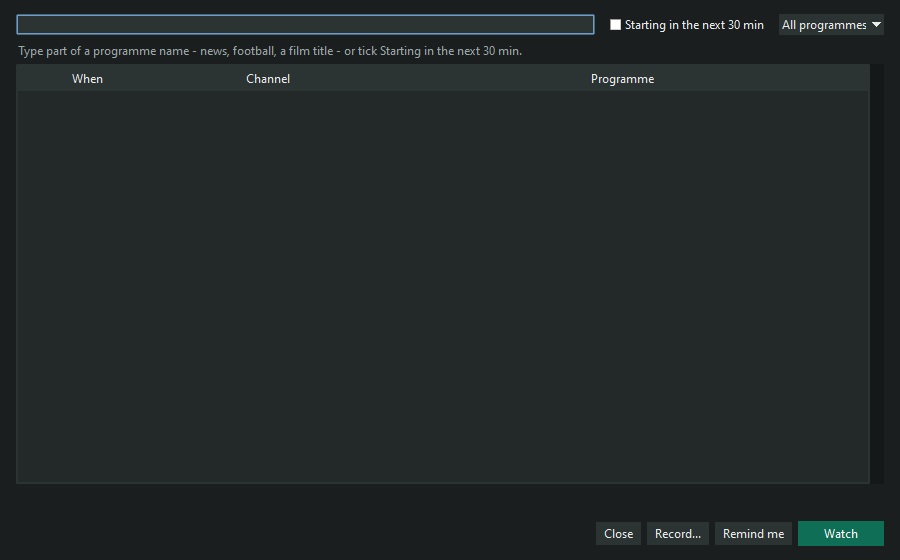
Guide grid and search - every channel on one timeline (Ctrl+E, Ctrl+G)
Catch-up, reminders and recording - straight from the guide
Download X IPTV PlayerFree - Windows 10 and 11, 64-bit - v1.5 - 43.6 MB

Prefer no installer? Get the portable ZIP. All features: X IPTV Player.

Advertisement

What is an EPG in IPTV?

An EPG (electronic programme guide) is the TV schedule for your channels.

It comes as an XMLTV file - a plain .xml file, or a compressed .xml.gz - that lists channels and what is on, hour by hour.

X IPTV Player reads it and shows now and next above the video, the day's schedule below it, and a guide grid with every channel on one timeline. The guide also unlocks catch-up, reminders and scheduled recordings.

Good to know: the playlist and the guide are two separate things. A playlist has the streams, the EPG has the schedule - and many free playlists ship without one.

How to add an EPG to X IPTV Player

1. Check if the guide loads by itself

Often there is nothing to do.

  1. Xtream Codes login: the guide comes from your provider's xmltv.php and loads with the channels.
  2. M3U playlist with a guide link: when the first line names a guide in url-tvg or x-tvg-url, it loads by itself.
  3. Play a channel and look above the video. If you see the programme that is on now, you are done.

See "No guide for this playlist"? The playlist names no guide. Add one with one of the next steps.

3. Add an EPG URL to a playlist you already have

Works for playlist files, links and the free Discover channels.

  1. Right-click the playlist in the list on the left and choose Set TV guide (EPG) link...
  2. Paste the XMLTV link and click OK. The guide starts loading at once.
  3. Or use the menu: Tools, Load TV guide (EPG) from link... does the same for the playlist you have open.

The link is saved with the playlist. Next time you open it, the guide loads again by itself.

4. Load an EPG file from your PC

For a guide you downloaded, or one made by a grabber tool.

  1. Open the playlist the guide belongs to.
  2. Choose Tools, Load TV guide (EPG) from file...
  3. Pick the .xml or .gz file. There is no need to unpack it first.

A file does not update itself. Replace it every day or two, or use a link instead - links are downloaded again when the guide gets old.

5. Use two or three guides for one playlist

One guide rarely covers every channel.

  1. Put the links in one field, separated with commas.
  2. X IPTV Player loads each one and merges them into one guide. A dead link does not stop the others.
https://epgshare01.online/epgshare01/epg_ripper_UK1.xml.gz, https://i.mjh.nz/PlutoTV/us.xml.gz

Keep it to two or three. Every extra guide adds download time and memory, and most channels only need one.

Use the TV guide in X IPTV Player

Now, next and the day's schedule

Play a channel and its guide appears around the video.

  1. Above the video: the programme on now and the one that comes next.
  2. Below it: the schedule. Click a programme to read its description, episode and genre.
  3. Right-click a programme for Remind me when it starts or Record this programme...

Want more room for the video? Untick View, Show TV guide.

The guide grid - every channel at once

Like the TV guide on a set-top box.

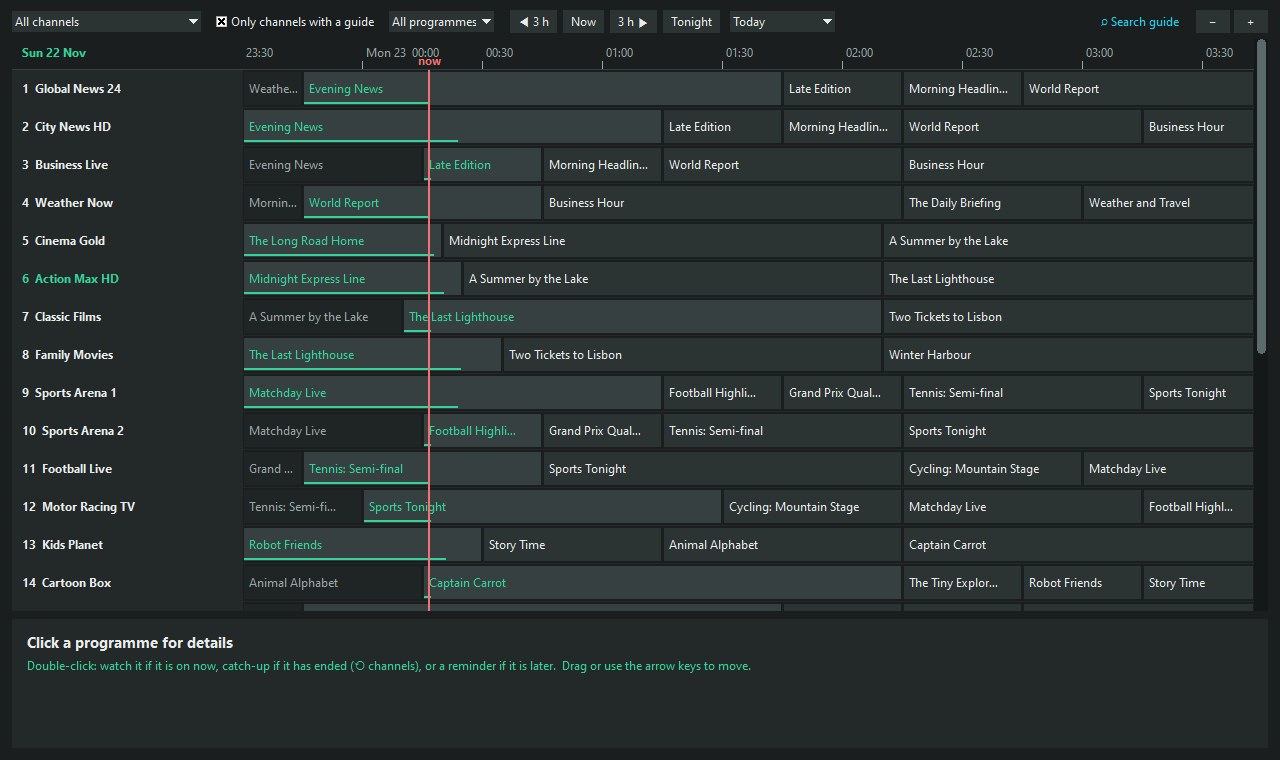
  1. Press Ctrl+E, or click Guide grid above the schedule.
  2. Move through the day with Now, Tonight and the 3-hour buttons, or pick another day.
  3. Filter by group or by films, sport, news and more. Keep Only channels with a guide ticked to hide empty rows.
X IPTV Player - TV guide grid with every channel on one timeline
The guide grid (Ctrl+E) - every channel with a guide on one timeline.

Catch-up TV from the guide

On channels where your provider keeps an archive.

  1. Find a programme that has already aired in the schedule or the grid.
  2. Right-click it and choose Watch (catch-up), or Watch from the start (catch-up) for a show that is still on.

Catch-up needs the guide. Without an EPG there are no past programmes to pick from. How many days you can go back depends on your provider.

EPG not showing? Fixes for the TV guide

"No guide for this playlist"

The playlist does not name a guide, and none was added.

Add an EPG link as shown in step 3. Free playlists - including big public channel lists - often ship without a working guide, so this is normal.

The guide loaded, but some channels show nothing

The channel and the guide use different names for it.

X IPTV Player first looks for the channel's tvg-id in the guide, then for its name. Tags such as HD, FHD or SD, text in brackets and country prefixes like "UK:" are ignored when names are compared.

When neither matches, right-click the channel and choose Match TV guide channel... Type part of the name, pick the right guide channel and check the On now column. The choice is remembered for this playlist.

Many channels without a guide? The guide is probably for another country. Add the right country file next to it, separated with a comma.

EPG times are an hour off

The guide was made with a wrong time zone.

  1. Click Time shift above the schedule, or use Tools, Guide time shift for this playlist...
  2. Set the difference: the guide says 20:00 but the show starts at 21:00, so set +1.

Good to know: the shift goes from -12 to +12 hours in half-hour steps, and it only applies to this playlist.

The guide stays empty or the link fails

The link is dead, or the file is empty.

Open the link in your browser. A working guide downloads a file of at least a few hundred KB - often several MB - while a dead one shows an error page or a tiny file.

Replace it with a current link from the free EPG links above. Xtream users: ask your provider, because the guide comes from their server.

The first load takes a while

Big guides cover thousands of channels.

The first download of a large file can take a minute. X IPTV Player keeps only your playlist's channels, from 6 hours ago to 3 days ahead, so even a very large guide stays light once it is loaded.

The download is kept for 12 hours, so the next start is fast. While the app stays open, the guide is refreshed quietly in the background every few hours.
IPTV EPG - frequently asked questions

What is an EPG URL?
It is a link to an XMLTV file with the TV schedule, usually ending in .xml or .xml.gz. You paste it into the IPTV player, which downloads the file and matches its schedule to your channels.
Where do I add the EPG link in X IPTV Player?
Right-click the playlist and choose Set TV guide (EPG) link..., or use Tools, Load TV guide (EPG) from link.... For a new playlist link, paste it in the TV guide link (optional) field of the same window.
Does an Xtream Codes login need an EPG link?
No. X IPTV Player loads the guide from your provider's xmltv.php by itself. Add a link only if your provider sends no guide or an incomplete one.
Can I use an .xml.gz file?
Yes. Links and files ending in .xml.gz are unpacked by the app, so there is no need to extract them. Use the .gz version when there is one - it downloads several times faster.
Can I use more than one EPG?
Yes. Put the links in one field separated with commas. They are loaded one after the other and merged, and a dead link does not stop the others.
Why do some channels show no TV guide?
The channel's tvg-id or name does not match any channel in the guide, or the guide does not cover that country. Right-click the channel and choose Match TV guide channel... to pair it by hand, or add a guide for that country.
Why is the EPG one hour off?
The guide was made with a different time zone. Click Time shift above the schedule and set the difference, for example +1 if shows start an hour later than the guide says.
How often is the TV guide updated?
A downloaded guide is used for up to 12 hours, then downloaded again. While the app is open, the guide is refreshed in the background every few hours. A guide loaded from a file only changes when you replace the file.
Does an EPG include any channels or video?
No. An EPG only holds programme times, titles and descriptions - no streams and no video. What you can watch depends on your playlist or login, not on the guide.
Is X IPTV Player free?
Yes. X IPTV Player is free for Windows 10 and 11, with no account and no ads in the app. It does not include channels - you add your own playlist or login.
Advertisement