X Audio Converter
Convert WAV, MP3, FLAC, OGG, M4A, Opus and more audio formats - free. Choose browser-based encoding with LAME or FFmpeg WASM, or use our server-side FFmpeg 7 encoder for faster conversion and more output formats including Opus, WavPack, TTA and WAV. Also available as a free Windows desktop app.
Click to select an audio file or drag it here
WAV, MP3, FLAC, OGG, M4A, AAC, WMA, AIFF, Opus - all sample rates
lame -b 128 -m j input.wav output.mp3
Audio is processed locally in your browser - nothing is uploaded to any server.
X Audio Converter for Windows
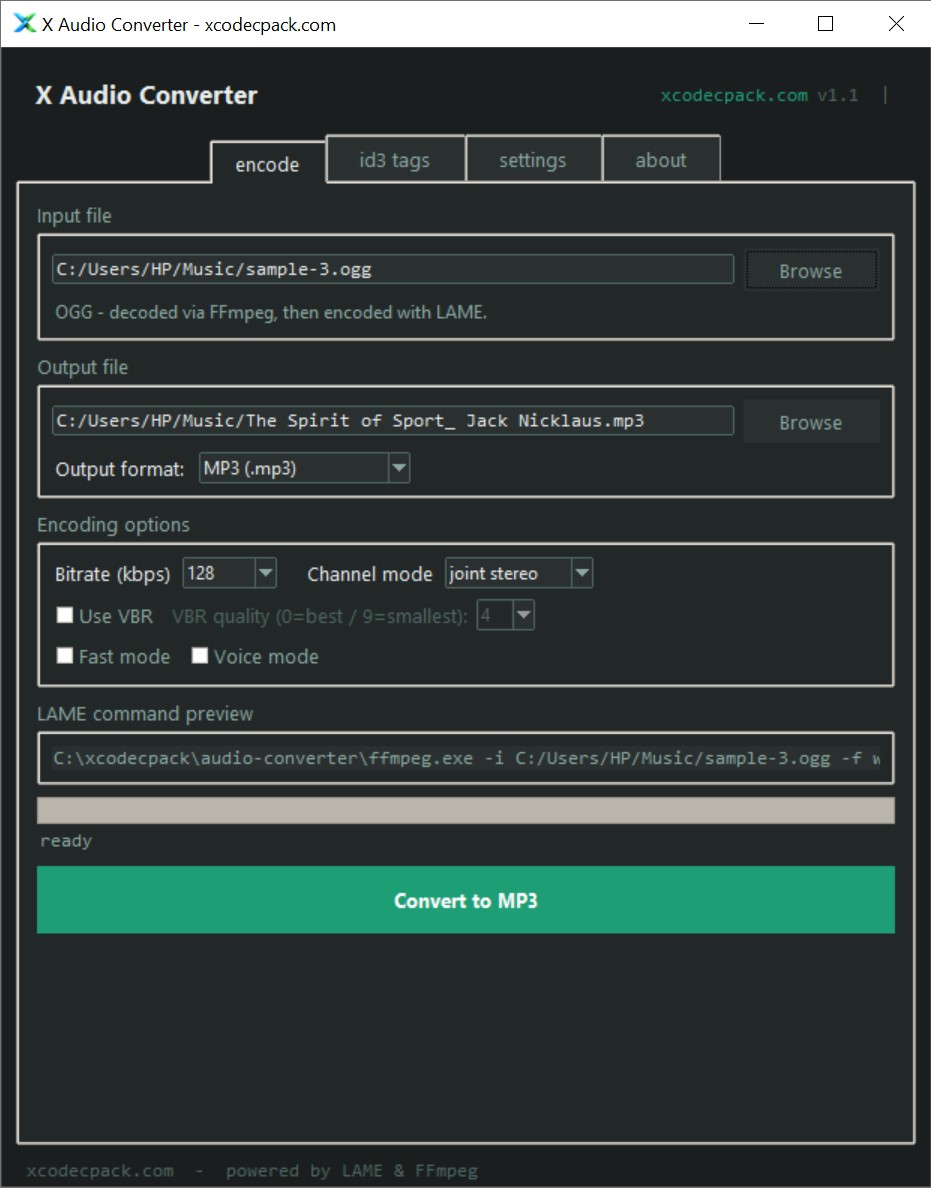
The same converter as a native Windows application. Uses lame.exe and ffmpeg.exe directly for maximum speed, full format support, and no browser memory limits.
Also required
Place both .exe files in the same folder as X-Audio-Converter.exe
What's new
- Multiple output formats when FFmpeg is installed - MP3, AAC/M4A, FLAC, OGG Vorbis, OPUS and WAV PCM from a single output format selector
- Per-format quality controls - bitrate for MP3/AAC/OPUS, quality preset for OGG Vorbis, compression level for FLAC, lossless passthrough for WAV
- Output file extension updates automatically when switching formats
- Command preview updates to show the correct FFmpeg command for non-MP3 output
- Larger font size throughout the interface for better readability
- Full channel mode names in dropdown - joint stereo, stereo, mono, forced MS
- Dropdown (combobox) backgrounds now correctly use the dark theme
- Tooltips now dismiss reliably on mouse leave - no longer get stuck open
- xcodecpack.com in header is now a clickable link
- Initial release - WAV to MP3 conversion via LAME encoder
- CBR bitrate selection (64-320 kbps) and VBR quality presets
- ID3 tag support (title, artist, album, year) via LAME flags
- Non-WAV input support via FFmpeg pipe (MP3, FLAC, OGG, M4A, AAC, WMA, AIFF)
- Fast mode and voice mode (LAME presets)
- Live LAME command preview
- White tooltips on all options with detailed descriptions
- About tab with links to online tool, X Audio Codec Pack and dependency downloads
- Auto-detect lame.exe and ffmpeg.exe in app folder or PATH
Free browser-based and server-side audio conversion
Convert audio to MP3, OGG, Opus, FLAC and more in three steps
Select your audio file
Click the upload area or drag and drop any supported audio file. WAV, MP3, FLAC, OGG, M4A, AAC, WMA, AIFF and Opus are all accepted. Browser modes never upload your file. Server modes send it encrypted over HTTPS for processing.
Choose encoder and output format
Pick browser LAME for instant MP3 without any upload, browser FFmpeg for MP3/OGG/FLAC/M4A without upload, or server FFmpeg for the full format range including Opus, WavPack and TTA at native FFmpeg 7 speed. Then set bitrate, CBR or VBR, and channel mode.
Download your converted file
Click Convert. Browser modes encode locally and show a download link instantly. Server mode uploads, converts with native FFmpeg 7, streams the result back, and deletes your file immediately. For batch encoding or very large files, use the free Windows app.
Browser vs server vs Windows app
Online - browser-based
- No installation, no upload
- Works on Windows, Mac and Linux
- Files never leave your device
- MP3, OGG, FLAC, M4A output
- Slower than native encoding
- FFmpeg WASM requires ~22 MB download
- Single file at a time
Online - server-side
- Native FFmpeg 7 speed
- Opus, WavPack, TTA, WAV output
- No WASM download needed
- Works on any device including mobile
- File is uploaded to our server
- 50 MB file size limit
X Audio Converter for Windows
- Fastest - native lame.exe + ffmpeg.exe
- Full format support, no file size limit
- Works fully offline
- Full ID3v2 tag support
- Windows only
- Requires lame.exe download