X HEVC Encoder
A free Windows GUI for encoding video to HEVC (H.265). Supports software encoding via libx265 and x265 CLI, plus hardware encoders from NVIDIA, AMD and Intel. Resolution scaling, frame rate conversion and VBV bitrate cap for streaming. Auto-detects which encoders are available on your system.
What's new in v1.3
Resize the output to 4K, 1440p, 1080p, 720p, 480p or a custom W x H using lanczos scaling. Drop the frame rate to 60/50/30/25/24 fps. Apply x265 tune presets (grain, fastdecode, zerolatency, animation). Cap the peak bitrate using VBV (-maxrate / -bufsize) for streaming-bound encodes.
Encoder, CRF, preset, profile, format and last-used folders are saved to %APPDATA%\xcodecpack\hevc and restored on next launch.
Resolved an internal error that caused encoding to fail immediately when the FFmpeg subprocess emitted its first output line. - Thanks Vitalu for reporting it ;)
Previous: v1.2
Added support for Kvazaar - the open-source BSD-licensed HEVC encoder from Tampere University. Multi-core friendly and a free alternative to x265.
Features
libx265 via FFmpeg, standalone x265 CLI, Kvazaar (open-source BSD), NVIDIA NVENC, AMD AMF and Intel QSV. Auto-detects which are available.
Archival, Streaming, HDR/4K, Web/Social, Blu-ray and Mobile - each pre-configures CRF, preset speed and profile.
Shows the exact command before encoding. Edit it directly or paste from the HEVC Settings Guide - your changes run as-is.
Reads resolution, codec, fps, bit depth and HDR flag via FFprobe. Suggests Main10 profile automatically for HDR sources.
Passes colorprimaries, transfer function and color matrix through the encode for correct HDR display.
Resize to 4K / 1440p / 1080p / 720p / 480p with lanczos scaling. Convert frame rate. Apply x265 tune presets. Cap peak bitrate via VBV (-maxrate / -bufsize) for streaming.
Progress bar with speed and ETA. Full FFmpeg log tab for troubleshooting. Portable .exe - no installer.
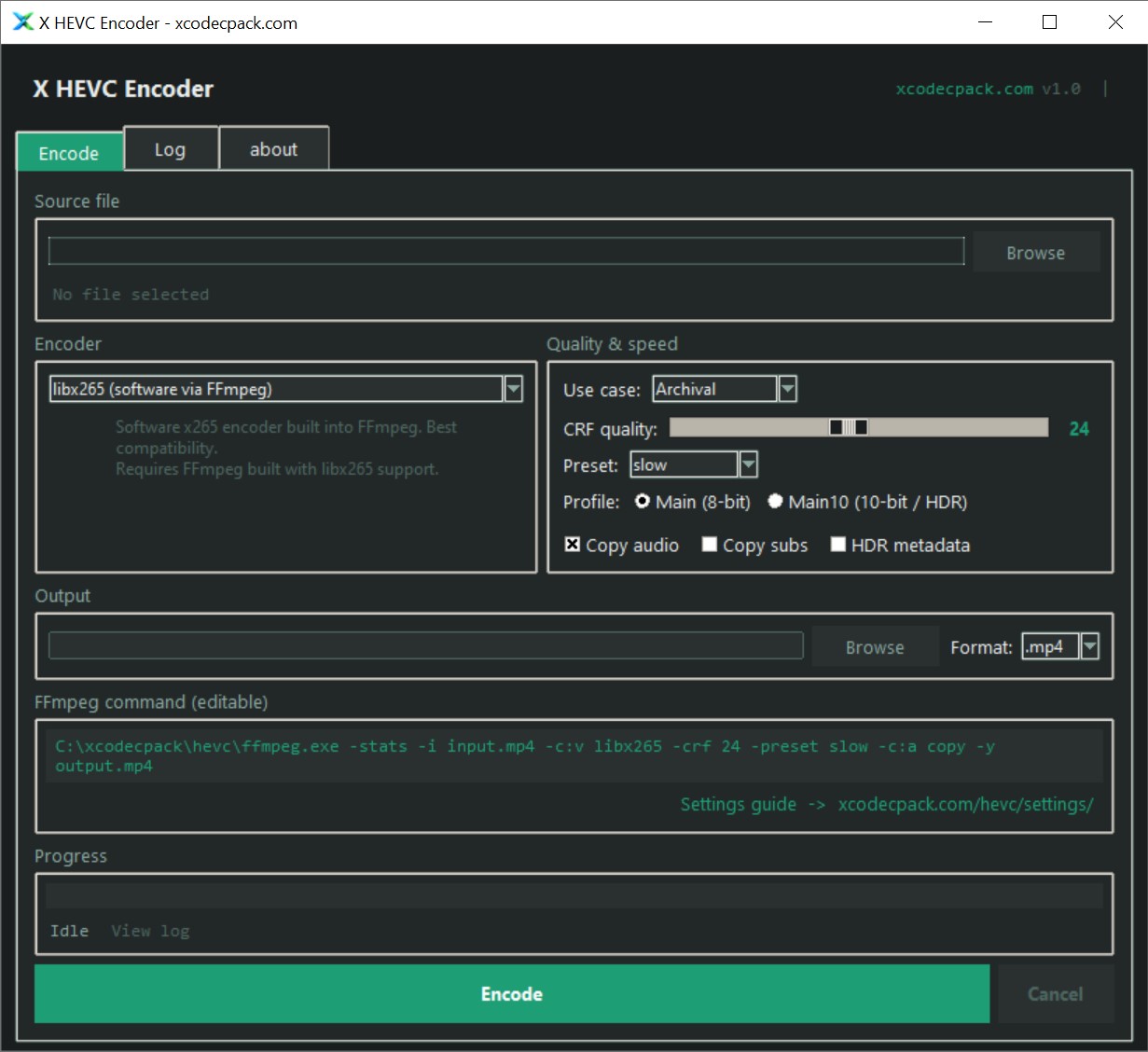
X HEVC Encoder v1.3.1 - Windows 10/11
What you need to download
X HEVC Encoder is a GUI front-end and does not bundle the encoders itself - this keeps the download small and lets you use whichever version you already have. Place the executables in the same folder as X HEVC Encoder.
FFmpeg (with libx265)
Required for all encoding modes. Download a static Windows build from free-codecs.com - it includes libx265, FFprobe and all codecs in a single .exe.
Download FFmpegx265 CLI (standalone encoder)
The standalone x265.exe gives slightly better performance and more direct control than libx265 via FFmpeg. Uses a two-step pipe: FFmpeg decodes, x265 encodes, FFmpeg muxes.
Download x265 CLIKvazaar (open-source HEVC encoder)
Kvazaar is an open-source BSD-licensed HEVC encoder from Tampere University. Multi-core friendly and a fully free alternative to x265. Uses the same two-step pipe: FFmpeg decodes, Kvazaar encodes, FFmpeg muxes.
Download KvazaarGPU hardware encoders (NVENC / AMF / QSV)
Hardware encoders are built into your GPU and activated via driver - no separate download needed. X HEVC Encoder detects them automatically at launch. Requires an NVIDIA (Maxwell+), AMD (RX 400+) or Intel (Skylake+) GPU.
HEVC Video Extensions (playback)
After encoding your file, you need this free Microsoft extension to play HEVC video in Windows Media Player and the Movies & TV app. Not required for encoding - only for playback in Windows apps.
Download HEVC Video ExtensionsSoftware vs hardware encoding
| Encoder | Speed | Quality | Best for |
|---|---|---|---|
libx265 |
Slow | Best | Archival, final exports |
x265 CLI |
Slow | Best | Archival, advanced params |
kvazaar |
Medium | Good | Open-source BSD encoding |
hevc_nvenc |
Very fast | Good | Live capture, quick exports |
hevc_amf |
Very fast | Good | Live capture, quick exports |
hevc_qsv |
Fast | OK | Battery-friendly laptop encodes |
Hardware encoders are 5-10x faster than libx265 but produce larger files at the same CRF. For archival use libx265 or x265 CLI. For streaming or quick exports use NVENC/AMF.