X Bitrate Calculator for Windows
Eleven calculators in one small portable app - audio and video bitrate for a size limit, batch folders, YouTube, Twitch and Kick bitrates, podcasts, streaming data and WAV size.
- Version
- 1.4
- Size
- 11.0 MB
- Windows
- 10 and 11
- Price
- Free
 X Bitrate Calculator
Just need a quick answer? Use the online audio bitrate calculator - same sums, nothing to download.
From download to answer in three steps
Download and open
Run X-Bitrate-Calculator.exe. It is one portable file, so there is nothing to install and nothing to remove later.
Enter what you know
Pick a tab and a format, type the duration and add your size limit or bitrate. Preset buttons fill in common sizes for you.
Copy the result
The answer updates as you type. Click Copy, then use that bitrate in your encoder or converter.
What's new in version 1.3
Half of the calculators are about video and streaming, so "Audio" is gone from the name. Your settings carry over.
Every result now points to the tool that does the job - the audio converter, the AAC, Opus and FLAC encoders, the sample rate converter or the HEVC settings builder.
One click opens the online calculator on the tab you are using, ready to share.
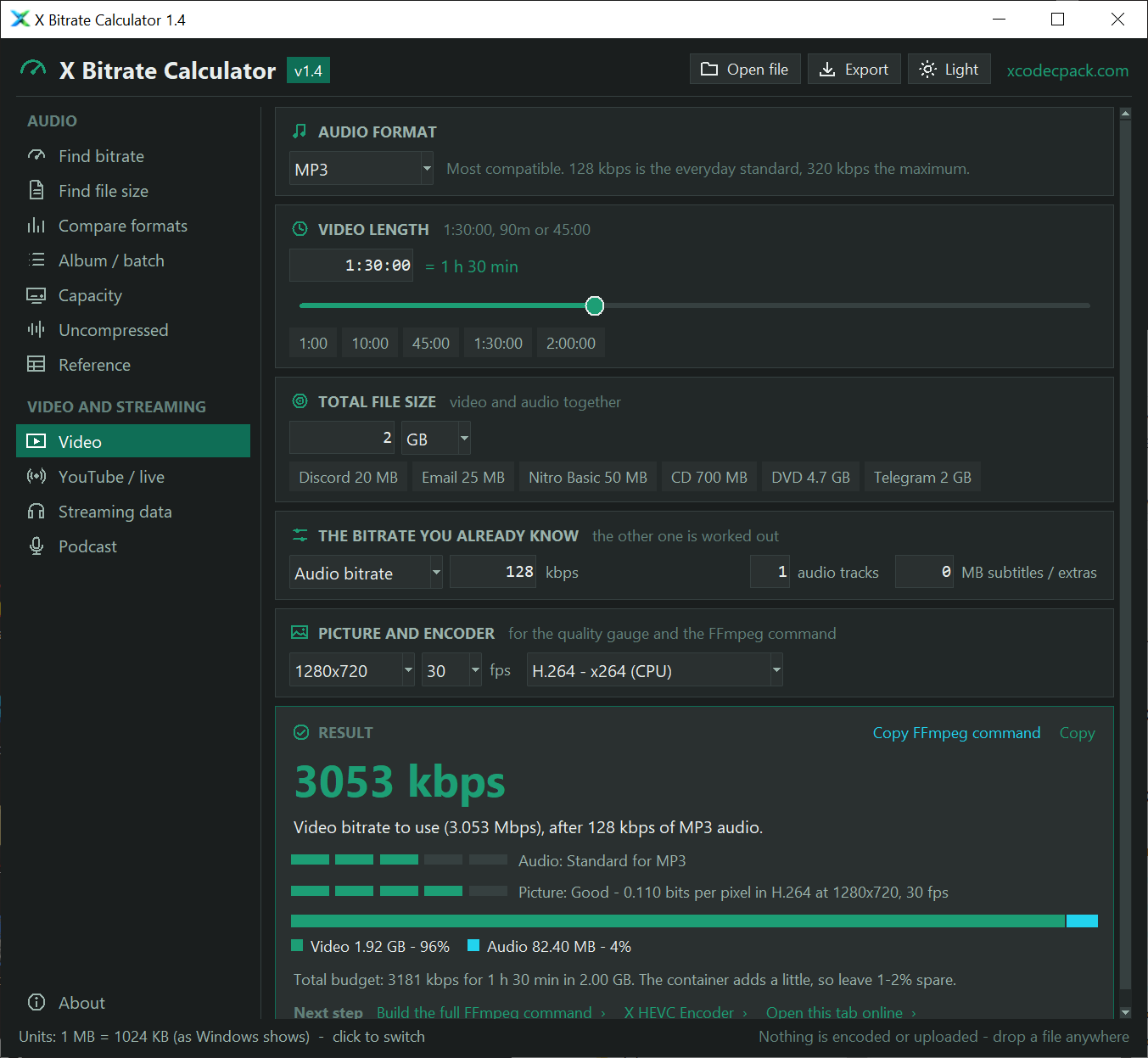
Length, size and audio bitrate in, video bitrate out - with audio tracks, subtitles, a split bar and a picture quality gauge in bits per pixel.
One click copies a command for x264, x265, SVT-AV1, NVENC, Quick Sync or AMF that lands on the size.
Recommended bitrates for YouTube uploads and live streams on YouTube, Twitch, Kick, Facebook, TikTok and Instagram, with the upload speed you need.
One bitrate for a whole album, every format side by side, podcast and ACX audiobook sizes, and mobile data per hour.
What X Bitrate Calculator works out
Version 1.3 puts eleven calculators in one sidebar, each with its own icon.
Each one updates as you type, so there is no Calculate button to press.
| Tab | You enter | You get |
|---|---|---|
| Find bitrate | Duration, track count, target size, space to keep for tags and cover art | The highest bitrate step that fits, the size it gives and a quality guide |
| Find file size | Bitrate and duration | File size, plus size per minute and per hour |
| Capacity | Storage size, bitrate and average track length | Hours of audio and number of tracks that fit |
| Uncompressed | Sample rate, bit depth, channels and duration | Exact WAV size and bitrate, with a FLAC estimate |
| Reference | Format and your own duration | A size table for every bitrate step of that format |
| Compare formats | Duration and target size | The bitrate and size for MP3, AAC, Opus, Ogg Vorbis, WMA and AC-3 side by side |
| Album / batch | A list of track lengths, or a folder of files, and one size limit | One bitrate for the whole set, with the total size |
| Video | Video length, size limit, the bitrate you know, audio tracks, subtitles, resolution and encoder | The other bitrate, the video and audio share, a picture quality gauge and an FFmpeg command |
| YouTube / live | Platform, resolution, frame rate, audio layout and your upload speed | The bitrates the platform asks for, the file size, the upload time or the upload speed you need |
| Streaming data | Stream bitrate, hours a day and your data plan | Data per hour and month, and how long the plan lasts |
| Podcast | Episode length, episodes a month, bitrate and a monthly upload limit | Size per episode, month and year, and the ACX audiobook check |
Every format has its own bitrate steps. MP3 stops at 320 kbps, Opus at 256 kbps and AC-3 goes up to 640 kbps for surround sound.
If your target needs more than the format allows, the app says so instead of showing a setting your encoder does not have.
Windows app or online calculator?
Windows app
- Works with no internet connection
- Remembers your format, values and last tab
- Small window that stays next to your encoder
- Keyboard shortcuts for tabs and copy
- Drop a file or a whole folder to read the lengths
- Exports every result to CSV or text
- Windows 10 and 11 only
Online calculator
- Nothing to download
- Works on any phone, tablet or computer
- Shareable link to a calculation
- Needs the page open
- Starts from the default values each visit
Both use the same formulas and give the same answers. Open the online calculator to try it now.
Keyboard shortcuts and settings
| Action | How |
|---|---|
| Switch calculator | Ctrl+1 to Ctrl+9, or click it in the sidebar |
| Read the length of a file | Ctrl+O, click Open file, or drop the file on the window |
| Export every result | Ctrl+E, or click Export |
| Dark or light theme | Ctrl+T, or click the theme button |
| Copy the current result | Ctrl+Shift+C, or click Copy on the result |
| Switch 1024 / 1000 units | Click the Units line at the bottom of the window |
| Fill in a common size | Click a preset such as CD 700 MB or 32 GB |
Your format, values, units and window size are saved when you close the app.
They are kept in %APPDATA%\xcodecpack\bitrate-calculator\settings.json. Delete that file to start fresh.
SHA-256 checksum
The program is not code-signed, so SmartScreen may call it unrecognised. The hash proves your file is byte-for-byte the one we built.
31CB F5FD 5108 31B7 1D6E E083 EC17 E716 383F 1EFB EA61 2BB6 3DB1 4E16 085E 5E5DCheck it in PowerShell: Get-FileHash .\X-Bitrate-Calculator.exe
X Bitrate Calculator - frequently asked questions
Is X Bitrate Calculator free?
Do I need to install it?
Which Windows versions does it run on?
Does it need an internet connection?
Does it open or change my audio files?
Is it a replacement for DivXLand Bitrate Calculator?
Where do the YouTube and Twitch figures come from?
Windows says the app is unrecognised. Is it safe?
Where are my settings stored?
%APPDATA%\xcodecpack\bitrate-calculator\settings.json. Nothing is written next to the .exe, so the app also runs from a read-only folder.